Dyslexia Tools for College Students: What Actually Works, by Need
A need-first guide to dyslexia tools in college: reading and text-to-speech, lecture capture, writing support, and textbook libraries — with prices, free tiers, and where each tool stops working.
College reading is different from any reading you did before it. The volume triples, nobody checks that you kept up, and the material is denser — 80 pages of immunology instead of one chapter of a novel. For a student with dyslexia that is not a motivation problem, it is a throughput problem: decoding that takes a classmate an hour takes you three, every week, for four years. The right tools do not remove dyslexia. They move the bottleneck off decoding so your actual intelligence gets to the material at the same speed as everyone else's.
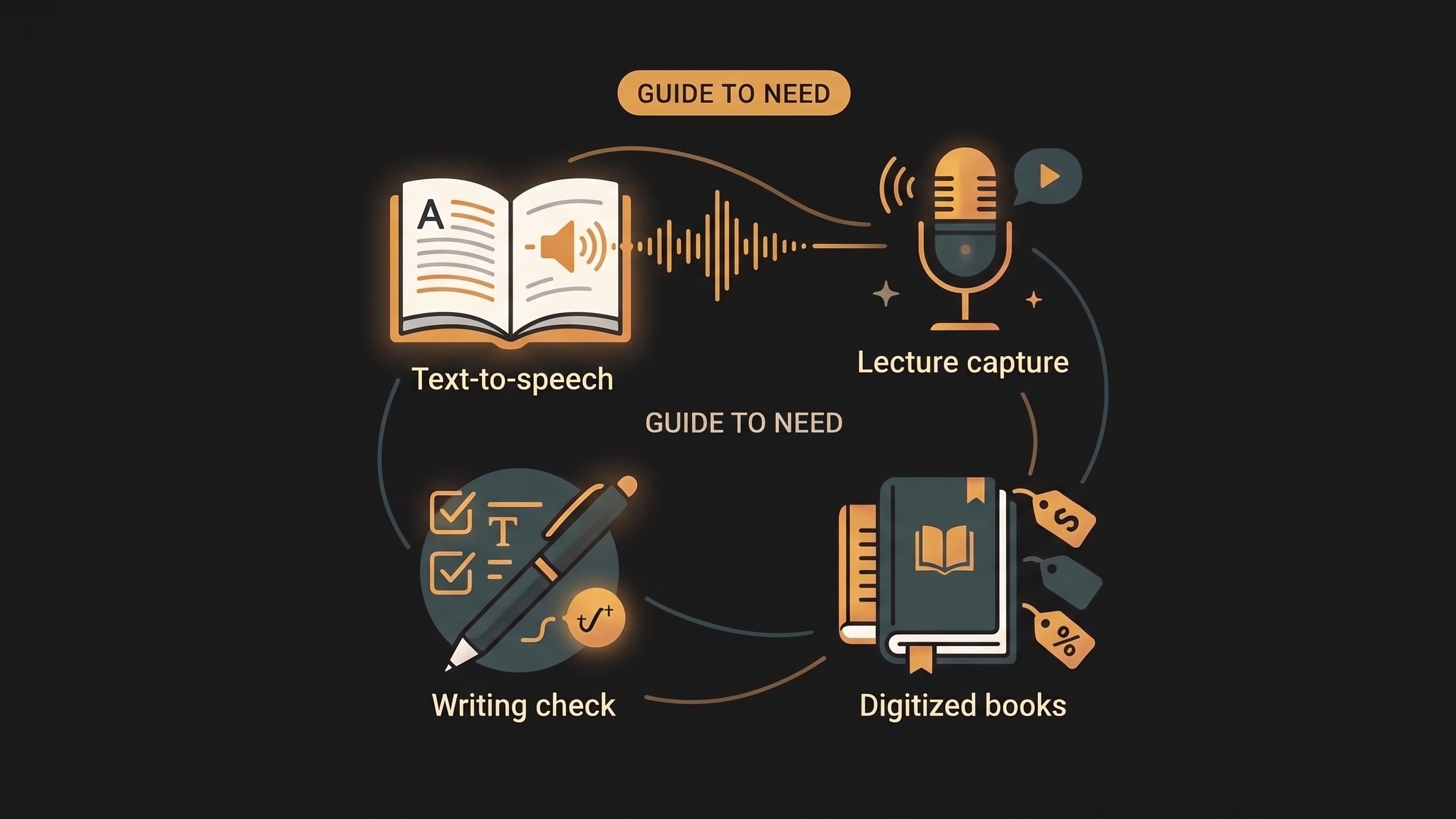
This guide organizes tools by the job you need done, not by brand. If you only read one section, make it how to choose, then jump to your bottleneck. If you want the short version: most students with dyslexia end up with three tools — one that reads documents aloud (text-to-speech), one that captures lectures (recording or transcription), and one that catches written output (grammar and spelling). Build around your worst bottleneck first, not around the tool with the best ad.
The comparison table
| Tool | Job | Price | Free tier | Best for | Skip if |
|---|---|---|---|---|---|
| Audionarrator | Textbook/PDF → chaptered audio | Free first chapter; top-ups from $3; plans from $9/mo | Yes, generous | Long assigned reading nobody narrated | You only read web articles |
| Speechify | Read anything aloud | Freemium; premium ~$139/yr | Limited | Web articles, Chrome workflow | You need book-length documents on a budget |
| NaturalReader | Read anything aloud | Freemium; ~$9.99/mo | Yes, basic | Light daily read-aloud with highlighting | You need document structure |
| Otter.ai | Lecture transcription | Freemium; ~$8.33/mo annual | 300 min/mo | Fast lecturers you must revisit | The professor bans recording |
| Jamworks | Lecture capture + summaries | Freemium | Limited | Structured lecture review | Your school already provides capture |
| Livescribe Smartpen | Pen + synced audio | ~$130 + paper | No | Math and diagrams you can't type | You take notes on a laptop |
| Read&Write | All-in-one literacy toolbar | ~$145/yr; free for teachers | 30-day trial | Institution-issued accommodations | You only need one job done |
| Grammarly | Written output | Freemium; ~$12/mo | Yes | Essays and emails under time pressure | You're happy with your writing |
| Scholarcy | Summarizing papers | Freemium; ~$9.99/mo | Limited | Literature reviews with heavy PDF loads | Your reading is textbooks, not papers |
| Learning Ally | Human-narrated textbooks | ~$99/yr membership | No (needs documentation) | Documented dyslexia, standard textbooks | You have no documentation |
| Bookshare | Accessible e-books | Free for US students | Yes (with documentation) | Long titles already in accessible formats | Same |
| OpenDyslexic | Reading comfort | Free forever | All of it | Visual strain, letter flipping | Fonts don't help you (they don't help everyone) |
Prices change and student discounts exist everywhere — treat the table as orientation, not quotes.
How to choose
Every tool below does one of five jobs. Trying tools before deciding which job actually hurts is how students end up with six subscriptions and no system.
- Reading is the bottleneck → text-to-speech or an audiobook library.
- Lectures are the bottleneck → capture and transcription.
- Writing is the bottleneck → grammar and drafting support.
- The reading load itself is the bottleneck → summarization.
- Everything feels harder than it should → start with the free stuff on your devices, then add one paid tool.
Reading and text-to-speech
This category has the strongest evidence behind it: listening while following the text (bimodal reading) improves both focus and word recognition over time, and for many dyslexic readers it is the single highest-leverage change. We compare the full landscape in Reading Tools for Dyslexia and ADHD — here is the college-specific slice.
For textbooks and long assigned reading
The defining college problem: your reading list is set by professors, so the material you need is exactly the material nobody has narrated. For that you need conversion, not a library.
Audionarrator converts PDFs, DOCX, and EPUB files into chaptered audiobooks. It detects the document's structure, skips the table of contents and front matter, and gives you a chapter map with position memory — which is what makes a 300-page textbook navigable instead of one unscrubbed stream. Per-chapter MP3 downloads let your notes travel separately, and speed control covers the 1–2x pace most listeners settle into. The first chapter converts free (up to 15,000 words), so try it on your worst document before deciding anything.
Speechify is the most advertised option and is good at what it does: strong voices, excellent speed control, and a Chrome extension. For textbook PDFs it is weaker — the free tier is limited in voice quality and length, and it reads documents linearly, without understanding chapters. If your reading is mostly articles, it is a fine choice. If it is a course reader, structure matters more than brand.
Free options already on your devices
Before paying for anything, your devices do more than students expect: Spoken Content on iPhone/iPad and Mac, Select to Speak on Android, and Read aloud in Microsoft Edge — which handles long PDFs surprisingly well. These are genuinely fine for short documents: a case reading, a two-page brief, an article. Where they fail is book-length material: they read headers and page numbers aloud, lose your position when you close the file, and the voices wear thin past fifteen minutes. The full free-tool setup is in the dyslexia and ADHD reading tools guide.
Fonts and visual support
OpenDyslexic is a free, open-source font with weighted letterforms designed to reduce letter flipping and visual crowding. The research on dyslexia fonts is genuinely mixed — some readers swear by them, others notice nothing — but it costs nothing to try, installs system-wide or per-browser, and takes five minutes to test on your own reading.
Lectures and note-taking
Fast lectures punish dyslexic students twice: the content goes by once, and note-taking competes with listening for the same attention. The fix is decoupling capture from understanding — record first, digest after.
Otter.ai records lectures and transcribes them in real time, so you listen instead of scribbling. The free tier's 300 minutes a month covers a couple of courses, and the searchable transcript means "what did she say about the midterm" takes ten seconds. One caution: recording policies vary by campus and professor. Disability services can usually formalize recording as an accommodation, which settles the question permanently.
Jamworks goes further: it records, transcribes, and auto-generates summaries and study questions, with synchronized audio and text playback. The free tier is limited; the value shows up when lectures are dense and fast and you need to revisit them structurally, not just search them.
Livescribe smartpens record audio while you write on paper, and tapping a line of your notes replays the exact lecture moment that produced it. At around $130 plus proprietary notebooks, it is the strongest option when your notes contain equations or diagrams that transcription tools mangle.
Writing and spelling
Reading gets the attention, but essays are where dyslexic students lose the most marks — spelling errors and tangled syntax read as carelessness when they are neither. The goal is an editor that never gets tired of the same mistakes.
Grammarly's free tier catches mechanics; the paid tier adds phrasing and clarity suggestions. It integrates with Word, Google Docs, and browsers, so feedback arrives wherever you actually write. For dyslexic writers the honest framing is this: it will not make your ideas better, but it removes the penalty for spelling and syntax variance so the ideas are judged on their own terms.
Read&Write by Texthelp bundles text-to-speech, word prediction, picture dictionaries, and grammar checking into one toolbar that works across Word, Google Docs, and browsers. It is the classic institution-provided tool — many universities license it for students, so check your disability services office before paying the ~$145/year.
Cutting the reading load, not just reading faster
When assigned reading exceeds anyone's capacity — dyslexic or not — the honest tool is summarization.
Scholarcy digests academic papers into structured summaries with key points, definitions, and citations extracted. It is built for papers, not textbooks, which makes it a literature-review tool more than a coursework tool. A free tier exists with limits.
Used carefully, AI assistants can outline dense chapters and rephrase confusing paragraphs — the skill is checking output against the actual reading, because LLMs summarize confidently and occasionally wrongly. And when the study material is final, turning it into audio you can review while walking or commuting is what Audionarrator does: your notes and readings become a chaptered audio review you can replay before exams at 1.5x.
Textbook libraries: the underused accommodation
Two services provide human-narrated or accessible-format textbooks, and both are underused because students assume they don't qualify.
Learning Ally maintains a large library of human-narrated textbooks with audio-highlighting sync (their VOICEtext format), so you hear fluent narration while following the words. Membership is an annual fee (around $99 for individuals) and requires documentation of a qualifying print disability — a formal dyslexia diagnosis or school verification qualifies.
Bookshare is free for US students with documented disabilities and carries over a million titles in accessible formats like audio, braille, and large print. Between the two, most standard textbook lists are already covered. Check both before paying for conversion — a professionally narrated textbook beats every synthetic voice on clarity and pacing.
Neither requires an institutional sponsor beyond documentation. If you are in college with dyslexia and have no formal documentation, your campus disability services office can start that process — and it usually unlocks more than tools: extended exam time, alternate formats, and sometimes funding for assistive technology.
If we were starting from zero
If we were rebuilding a study system from scratch with dyslexia, in this order:
- Register with disability services. It multiplies everything else.
- Check Learning Ally and Bookshare for this semester's textbook list.
- Pick one read-aloud tool and test it on your worst document, not a demo file. Audionarrator's first chapter is free; Speechify's extension if you live in the browser.
- Add Otter.ai for the fastest-paced lecture.
- Grammarly on, always.
- Convert final study material to audio and review at 1.5x on walks and commutes — the habit with the highest stickiness among students we talk to.
One tool per bottleneck beats five tools installed and abandoned.
Common questions
Are dyslexia tools allowed in college?
Yes. Colleges not only permit assistive technology, most encourage it. Recording policies vary by campus and professor, but text-to-speech, grammar tools, and transcription software are standard assistive technology — and registering with disability services usually formalizes your right to use them.
What is the best text-to-speech app for dyslexic college students?
For web articles, Speechify's browser extension is the mainstream choice. For textbooks and long PDFs, chapter-aware conversion matters more than voice brand — knowing exactly where you stopped, and not re-listening to a table of contents, is worth more than a marginally nicer voice. Audionarrator handles that case; the first chapter converts free so you can test it on real material.
Do audiobooks count as studying?
Yes — and for many dyslexic students, more than reading does. Audio bypasses the decoding bottleneck entirely, letting comprehension, vocabulary, and retention run at full speed. It is a standard, evidence-aligned accommodation, not a workaround.
Can I get college accommodations without a formal diagnosis?
Usually not for formal accommodations — those require documentation. But every tool in this guide's device and app categories requires no diagnosis at all, and disability services can walk you through the evaluation process if you don't have one yet.
How do I get Learning Ally or Bookshare?
Both require documentation of a qualifying print disability — commonly a formal dyslexia assessment or school verification. Your campus disability services office typically handles the paperwork. Bookshare is free for US students; Learning Ally is an annual membership.
What should I do first if I'm overwhelmed?
Register with disability services, then fix only your single biggest bottleneck — reading, lectures, or writing. Most students who deploy five tools at once abandon all five. One tool, used daily, beats five tools tried once.